BreakIn
A downloadable game for Windows
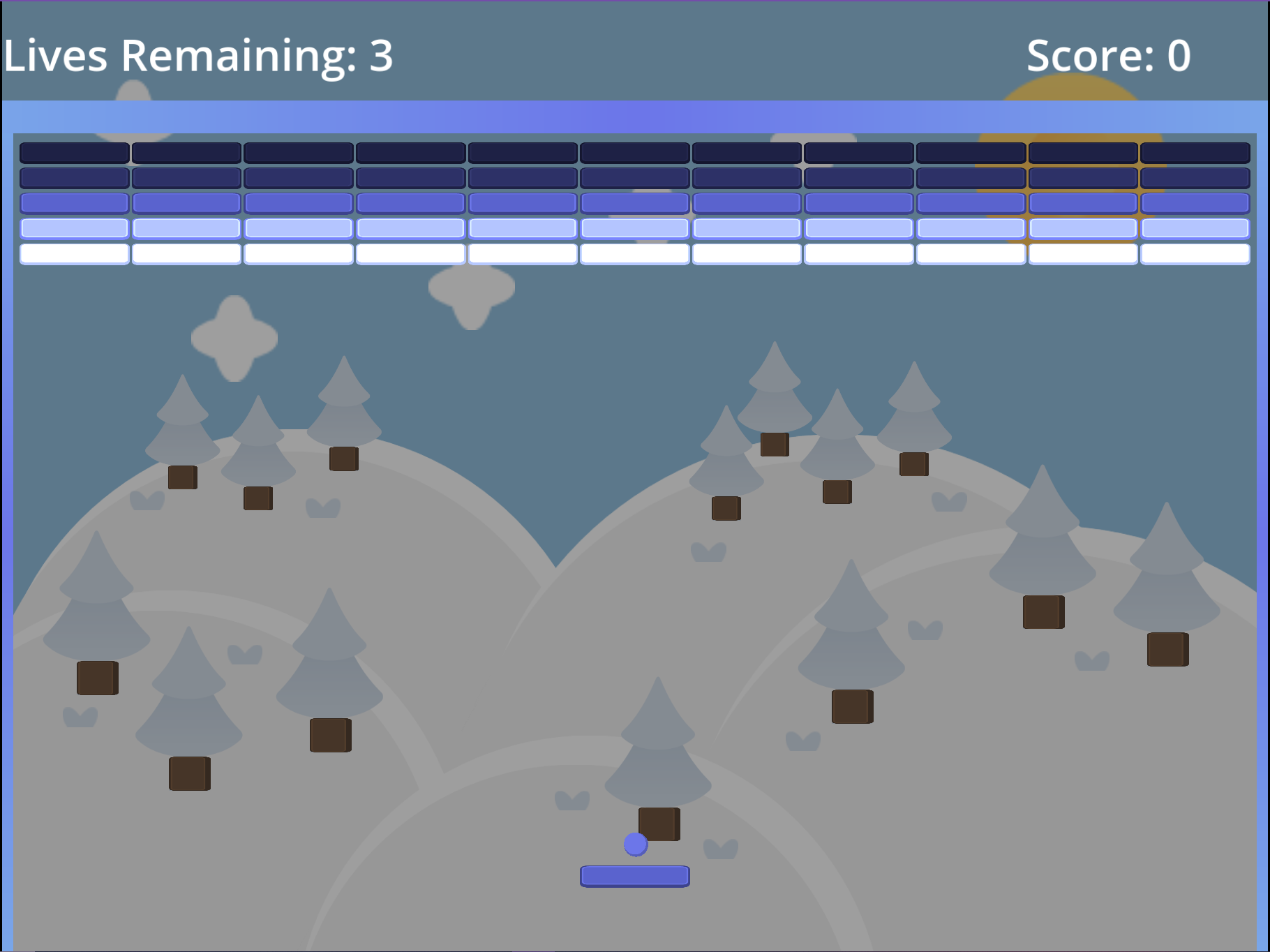
Breakout, Block Breaker, or Arkanoid, is an arcade classic dating back to the 70s. Similar to Pong, the player controls a paddle and is trying to bounce a ball across the screen to destroy a number of bricks, with clearing the screen of all bricks being considered a win. The player can accrue points through the destruction of bricks and has a number of lives that they can lose if the ball passes the paddle into the empty space below. Bricks also feature multiple layers, which must be gradually removed before the brick can be destroyed, with higher rows having more layers than lower rows.
A major point behind the 2nd tier of this whole challenge was that you don’t have to reinvent the wheel or start over from complete scratch for every project. It’s why the two projects for tier 2 are games that are already similar to Pong and Flappybird. With the idea of re-usability in mind, not only did I build off some of the foundations I used in Pong, but I also spent some time creating some basic systems I can export and plug into future projects with little-to-no hassle. This project was no doubt made larger than it needed to be for the challenge, but it was no less fun to create.
Assets
Like I said earlier, in the spirit of re-usability, I tried using assets I had from previous projects. This means that for assets, I brought in the same assets I used for FlappyBird from Kenney. This did lead to the first level looking similar to the background I used in Flappybird, but I got to be more creative with the subsequent levels. As for Sound Effects, I dove more into Pixabay to get things like UI clicks, brick breaking noises, ball bouncing noises, and power-up activation sounds.
Built-In Physics
Similar to Pong, the primary game loop for Breakout requires having a ball that can bounce off every surface it hits. With Pong, I used Area2D nodes and tried to handle the collisions myself for the most part. I even note one of the big issues that this caused, which was how the ball would occasionally treat the paddle like a “tube”. I found early on that this problem was exacerbated in Breakout, as the Paddle and each Brick all used the same kind of Area2D nodes (initially). I wound up revisiting and refactoring the bouncing physics for this project 3 times in order to find something that worked, and while it still has some issues I’m not 100% happy with, it did eventually wind up at a place I was willing to accept.
One big change that was made was abandoning the reliance on Area2D nodes and leaning more into figuring out what I could do with some of the other node types Godot offers. I mentioned back in my work on Pong that I originally used Area2D nodes because I wanted to avoid an issue I ran into with the default physics systems in Unity and Unreal Engine, where the ball could gather enough momentum that it can move the player’s paddle. While I’m positive there are means to do this in the other engines, my solution in Godot was through the use of StaticBody2D and CharacterBody2D nodes. The StaticBody2D nodes would ignore all physics but could still be “moved” through code, while the CharacterBody2D node offered some helpful collision events I could take advantage of. I still ran into some issues but they were minor enough for me to be willing to move forward with this configuration.
Reusable Systems
I mentioned earlier that the spirit of this tier in the challenge is to embrace re-usability. As a result, I opted to design a lot of the systems I used in this project to be generic enough to be exported to other similar projects. The work done on these systems definitely dragged out the development time of the project as a whole, but as a result I have a lot of systems I can easily expand on for future projects, which I think is going to be important for a challenge such as this. The following systems were built to be exported and expanded upon later:
- ObjectPool2D: A dedicated system for spawning objects in a 2D space. Currently can be used to spawn any Node2D object at a given position, or a grid of Node2D objects
- SceneManagement: This system helps provide a clean means of loading in scenes in Godot through resources paths. The intention is to eventually expand this in further projects to support asynchronous scene loading for efficient level loading.
- MenuManagement: This is a basic system for handling general UI menus for a game. I used this to move between the main menu, the settings menu, and the level selection menu. This may be expanded to handle submenus at a later point, such as tabs within a Settings screen.
- AudioManagement: With the inclusion of more than a single sound effect, I opted to create a system that could allow you to play location-independent sound effects from anywhere in the game. The current sound effect types that are supported are “OnHit”, “OnDestroy”, “UI_Interact”, and “TriggerDefault_Powerup”. These are done using enums and a dictionary that can be configured per project for any kind of SFX desired. Further expansions on this would support 2D and 3D positional placement of the audio, as well as support for music.
- SaveSystem: One of the stretch goals for this project was to have multiple levels and keep track of your high scores. To do this, I utilized a basic save system to keep track of the scores per level, and the sound effects volume the player assigned in the settings. Originally this was the same save system I used in my Wheel project, but this wound up being refactored with help from a friend as we tried to figure out a configuration we both liked. This system supports splitting different saved elements into separate save files, which wasn’t necessary for this project but was something I could see being helpful long term. One thing I may expand on in the future is to adjust the save system so it puts any save files created into a dedicated Save folder.
Backgrounds
While I didn’t utilize any sort of parallax for this project like I did with Flappybird, I did expand a bit on my environments from the previous game to give a bit of a different color scheme and feel to each level. The game features a forest, desert, and tundra themed environment. In addition to extra environments in the background, I also wanted to add some dynamic elements to the game based on the current environment. This translated to incorporating dynamic changes to the game as the level changed, with the paddle, ball, bricks, and walls of the game changing per level.
UI
I kept the UI a little more simple on this project, as besides the inclusion of a menu system in general, this wasn’t the primary focus of the game. That said, I still added in a menu system that supports a main menu, settings menu, level selection, and on-screen popups. Without stopping the entire engine’s timer, I implemented a means to pause the game and open up our pause screen, with the game effectively resuming afterwards. This was the first time I’ve incorporated a proper pause menu in the 20 Game Challenge and I’ll likely be utilizing it again in the future.
Settings
While there’s only one real setting in the game - the volume of the sound effects, there was still some decent work behind it. In addition to the implementation of the save system, I am also making sure to check during game load to get the default saved settings volume and applying it to the UI immediately. This was a small catch I almost missed that I think helped improve the general quality of life.
The settings menu is also somewhere I wound up doing a little experimenting when it came to the background of the menu itself. It completely contrasts the rest of the game, but I left it in so I can come back later and refer to it when I want it. I wound up experimenting and learning how to create a nice cloudy sky effect on a TextureRect node. Does this help the settings? No. It arguably makes it harder to see the setting option, but I liked the effect and I wanted to keep it somewhere.
Complications
The biggest complication I ran into with this project was handling the ball bouncing physics. Generally speaking, I used the built in Vector2.Bounce function in order to handle reflecting the ball’s movement after it hits something. This worked fine for the most part but I did run into issues after implementing the Tri-Ball power up. For some reason, when multiple balls collide with each other, they will often get hung up for a moment, sticking together and seemingly grinding against each other before properly moving off in the expected directions. I’m not sure how this occurs, because it wasn’t something that happened every time multiple balls collided, just pretty often.
Similarly, something I wasn’t anticipating originally was having to setup collision detection for both the ball and the paddle. This sounds a little obvious when I write it out, but in practice it originally seemed like setting up collision detection on just the ball worked just fine. This turned out not to be the case when it came to a use case of the ball hitting the paddle while the paddle is actively moving. Adding collision detection to the paddle was easy enough, but there was still one issue that, while minimized by this fix, never did get properly resolved. That being, that if the ball hits the paddle on one of the paddle’s sides and the paddle is moving in the opposite direction of the ball, the ball and the paddle will seem to stop until the ball grinds down and shoots outside of the map like it is expected to do. I was able to resolve this so that now it only kind of slows the paddle, but I couldn’t quite figure out how to have it behave properly. The expected behavior is that it reflects off the paddle, but despite trying to utilize the Vector2.Bounce logic I used for every other collision, the ball always wants to fight against the paddle.
Stretch Goal Implementation
Technically the only stretch goals for this project was to have sound effects and save a high score between sessions. I wanted to expand on that, since I started using sound effects in Flappybird and the high score thing didn’t feel like enough for me. This is where power-ups and multiple levels came into play.
Power-Ups
Just because I thought it would make things a bit more entertaining, the game supports 5 separate power-ups. These are Tri-Ball, Super Ball, Super Wide, Shield, and Paddle Speed Up. These power-ups were a lot of fun to implement and offered a lot of variety to the game, as well as a lot of bugs. Currently there is a 25% chance of a power-up spawning on a brick’s destruction, and it would be higher but I learned that spawning tri-ball too many times will absolutely crash the game.
Multiple Levels
The other big stretch I wanted to add to this project was the support of multiple levels and the ability to restart the current level were you to fail. The only real challenges with this came from making sure that objects I was reusing were properly destroyed on level end, as carrying things over between levels got really messy.
Download
Click download now to get access to the following files:
Leave a comment
Log in with itch.io to leave a comment.